Tech and digital,
fixed or built.
Repairs for the phone and laptop you rely on, and websites, apps and logos for the business you are building. Local pros, clear quotes.
What is
covered.
This group covers two kinds of job. Repairs, where something you own has broken or slowed down: a cracked phone screen, a battery that dies by lunchtime, a laptop full of pop-ups. And digital work, where you want something new made: a website, an app, or a logo and the graphics around it.
The questions are different for each. With a repair, you want to know whether it is worth fixing, which parts will be used and what happens to your data. With digital work, you want to know what you will get, how long it takes, what it costs to run afterwards, and who owns it at the end.
On AYS Concierge you search by service and postcode and see pros who cover your area. Common repairs, such as a screen or battery on a popular phone, and some logo packages have a fixed price shown before you book. Websites, apps and unusual faults are quoted. Quotes are free with no obligation, and you pay securely through AYS.
Choose
your service.
5 services in tech and digital. Each page explains what is covered, how pricing works and how to get ready.
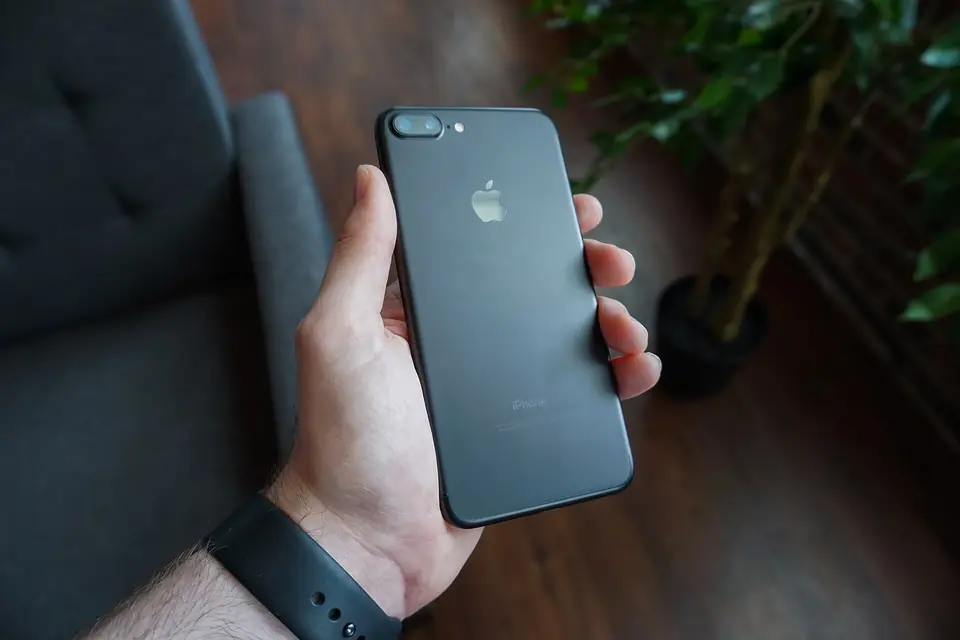
Mobile phone repairs
Choose phone repairs for screens, batteries, charging ports, cameras, speakers and water damage. Give the exact model and what still works. Some repairers fix the phone at your home or work, others offer mail-in for harder jobs. Back up first if the phone still turns on.

Laptop repairs
Choose laptop repairs for broken screens, keyboards, hinges, batteries and charging ports, or a laptop that has become slow or infected. A good repairer will tell you whether it is worth fixing. Give the make and model from the sticker underneath, and back up anything you cannot replace.

Website development
Choose website development for a new site, a redesign, an online shop or ongoing updates. Tell developers how many pages you need, whether you take bookings or payments, and who writes the words. Agree who owns the domain, code and design files before work starts.
App development
Choose app development for a prototype to test an idea, a full iPhone or Android app, or updates to one you already have. Explain who it is for and the main things it must do. Set up the Apple and Google developer accounts in your own or your company's name.
Logo design
Choose logo design for a new logo, a redraw of a blurry old one, or a wider brand identity with colours, fonts, business cards and social media graphics. Agree how many ideas and rounds of changes are included, which file formats you receive, and who owns the copyright.
Repair or replace, website or app
For a broken device, compare the repair with the value of the device. A new screen, battery or solid state drive often gives a phone or laptop years more use. A failed motherboard on an old model is often not worth it. Ask whether parts are genuine or third-party, whether the repair has a warranty, and how your data and passwords will be handled.
For a business, a website is usually the first step. It works on every phone and computer, can be found on Google and is cheaper to change. An app makes sense when people will use it often, need to sign in, or need phone features like notifications. Many businesses start with a website and a simple prototype app, then build more once they see what customers use.
For any digital work, get ownership in writing. Under UK copyright law, the person who creates a commissioned work usually owns it unless agreed otherwise, so ask for a signed assignment of copyright. Ask for a list of running costs too.
Is it worth repairing my phone or laptop?
Often, yes. Screens, batteries and charging ports are common, replaceable parts, and fixing them usually costs much less than a new device. It is less worthwhile when the main board has failed on an older model. Ask the repairer for the repair price and their honest view of the device before you agree.
Do I need a website or an app for my business?
Most small businesses need a website first, because customers search for you on Google and expect to find your details, prices and contact form. An app suits repeat use, such as bookings, loyalty or tools customers open every week. Describe what you want people to do and ask pros which option fits.
Who owns the website, app or logo I pay for?
Not automatically you. Under UK copyright law the creator of a commissioned work is usually the first owner unless you agree otherwise in writing. Ask for a signed copyright assignment, and make sure the domain, hosting and app store accounts are in your name, so you keep control if you change provider later.
What happens to my data during a repair?
Most hardware repairs leave your files alone, but some faults need a reset, and a drive replacement can wipe data. Back up first if the device still works. For software problems a repairer may need to sign in, so create a temporary account or change your password afterwards. No repair needs your banking or email passwords.
Can tech pros work with me remotely?
Website, app and logo work is often done mainly online, with video calls and shared files, though some pros are happy to meet locally. Repairs are usually done at your home or work, or by mail-in with tracked postage. Say in your request how you prefer to work, and check how files and devices are returned.
Helpful
guides.
Tech and digitalCracked phone screen: what to do next, step by step
Stop using the phone if glass is loose or the battery looks damaged. Back up your data straight away, cover the crack, then compare repair with replacement before you book.
Read the guideTech and digitalHow to plan a website for a small business: a step-by-step guide
Start with what the site must do for your business, then plan the pages, words and photos. Own your domain, build for phones first, and meet UK privacy and cookie rules before launch.
Read the guide
Work in tech and digital?
Get booked for it.
Join AYS as a pro. Choose the postcodes you cover, set your prices and take bookings from local customers.